Everything that happens in your classroom, finally visible
Trellis lives in your seating chart. Tap a student, see where they are, choose a strategy, save. Five seconds. Every intervention timestamped. Every pattern visible. All without any paperwork after school.
Your classes, your data — right at your fingertips
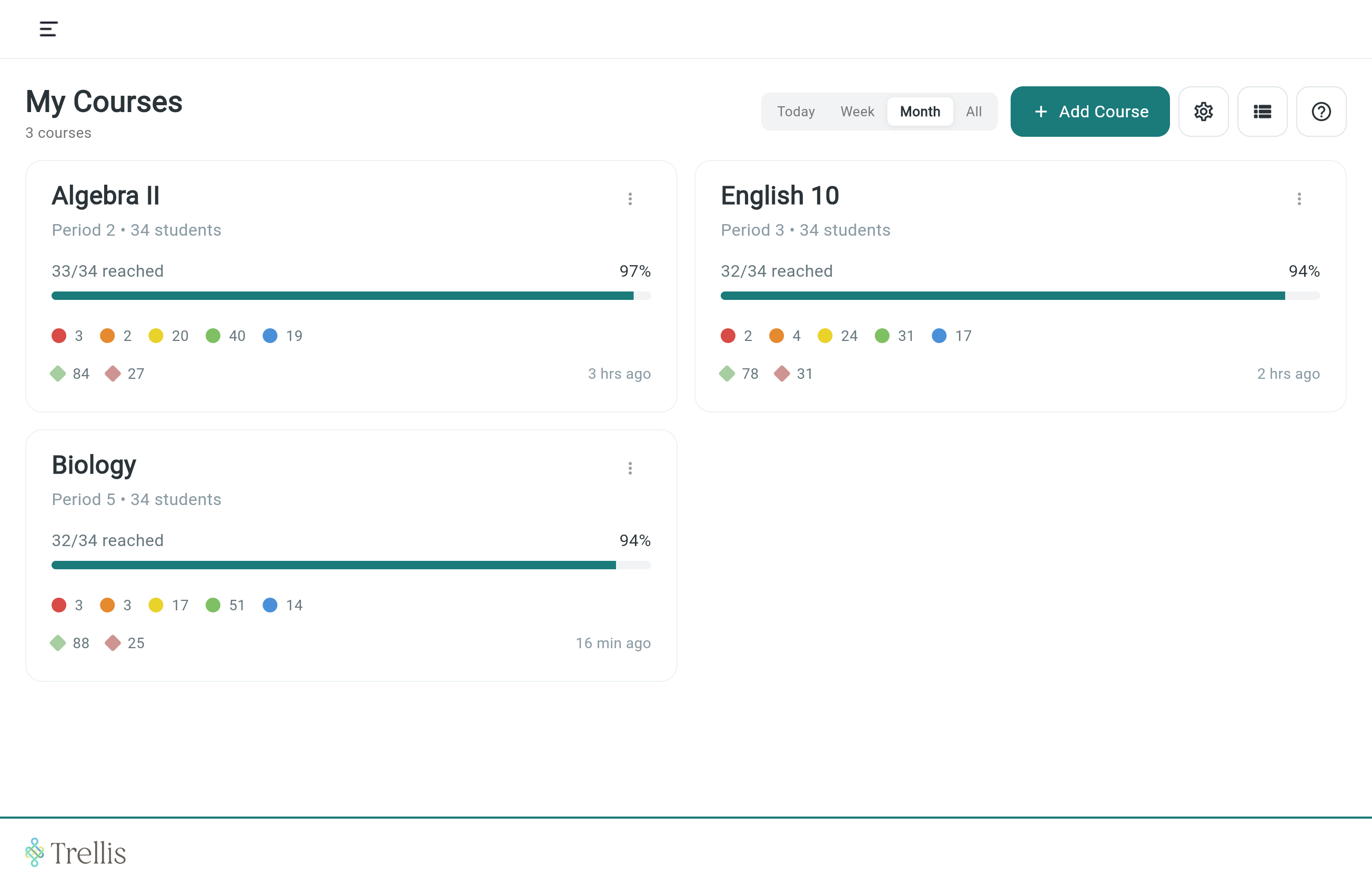
The courses screen shows all your courses with a live snapshot of recent interactions, group activities, and behaviors — toggling between today, this week, this month, or the full school year. You know where every class stands before the bell even rings. Simple setup with Google Classroom or Clever your rosters are ready on day one.
Class View
Your room, exactly as it sits
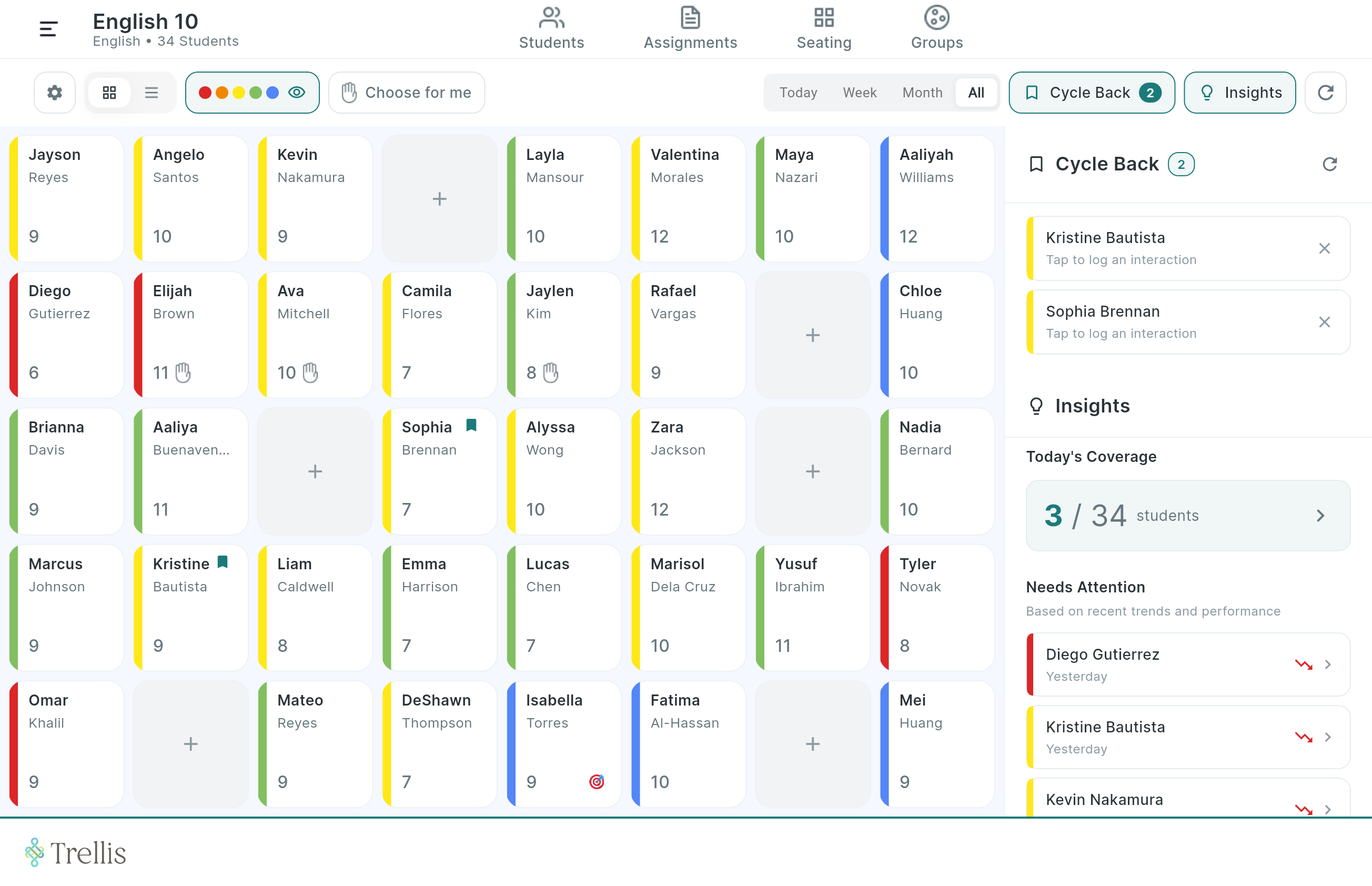
Open a course and your seating chart loads — every student shown right where they sit, color-flagged by their current performance level, with a recent interaction count on each seat. Empty desks are there too. The layout matches your actual room. Move students with just a quick tap-and-drag.
Student Profile
Every detail about a student, in one window
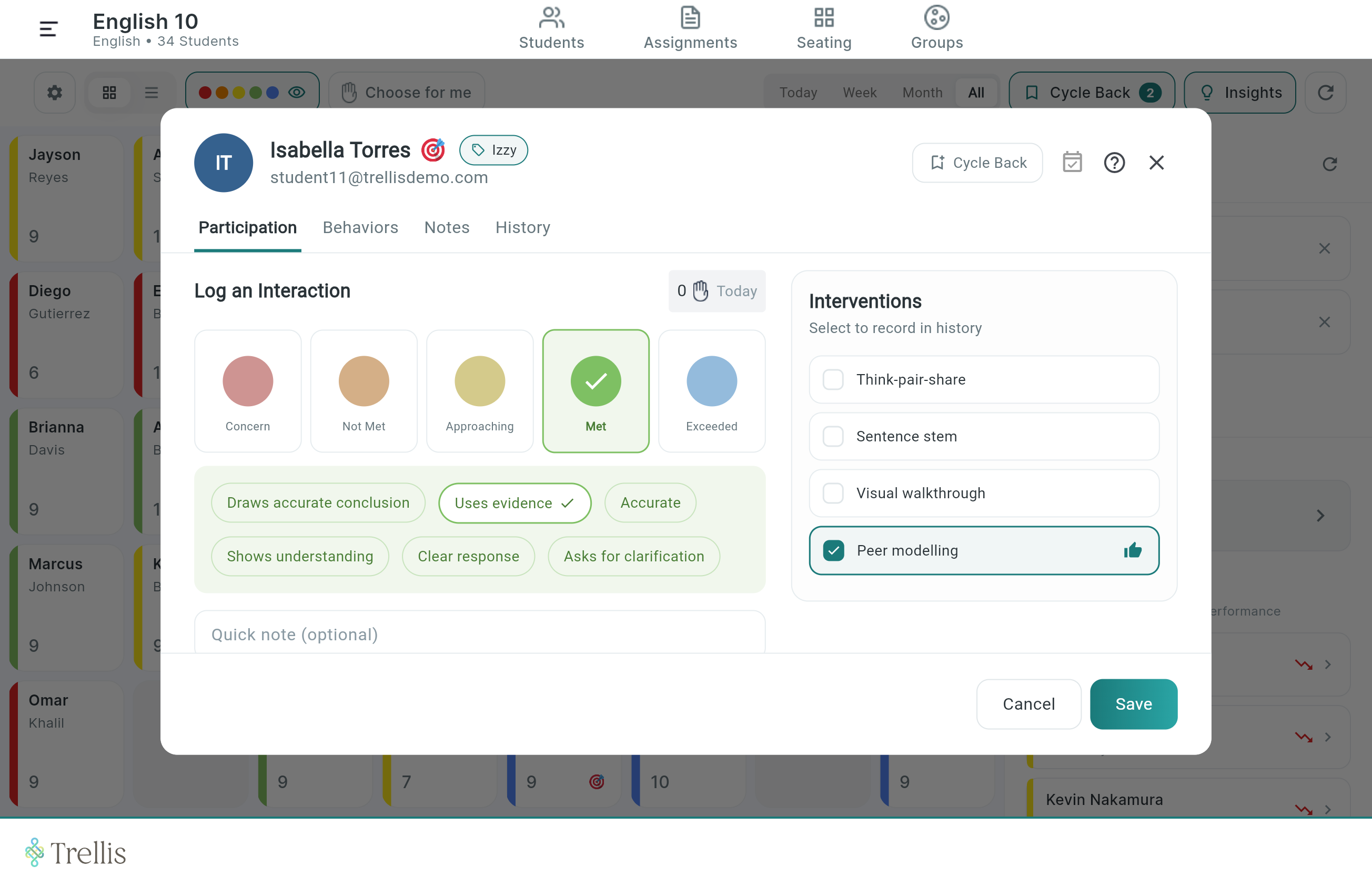
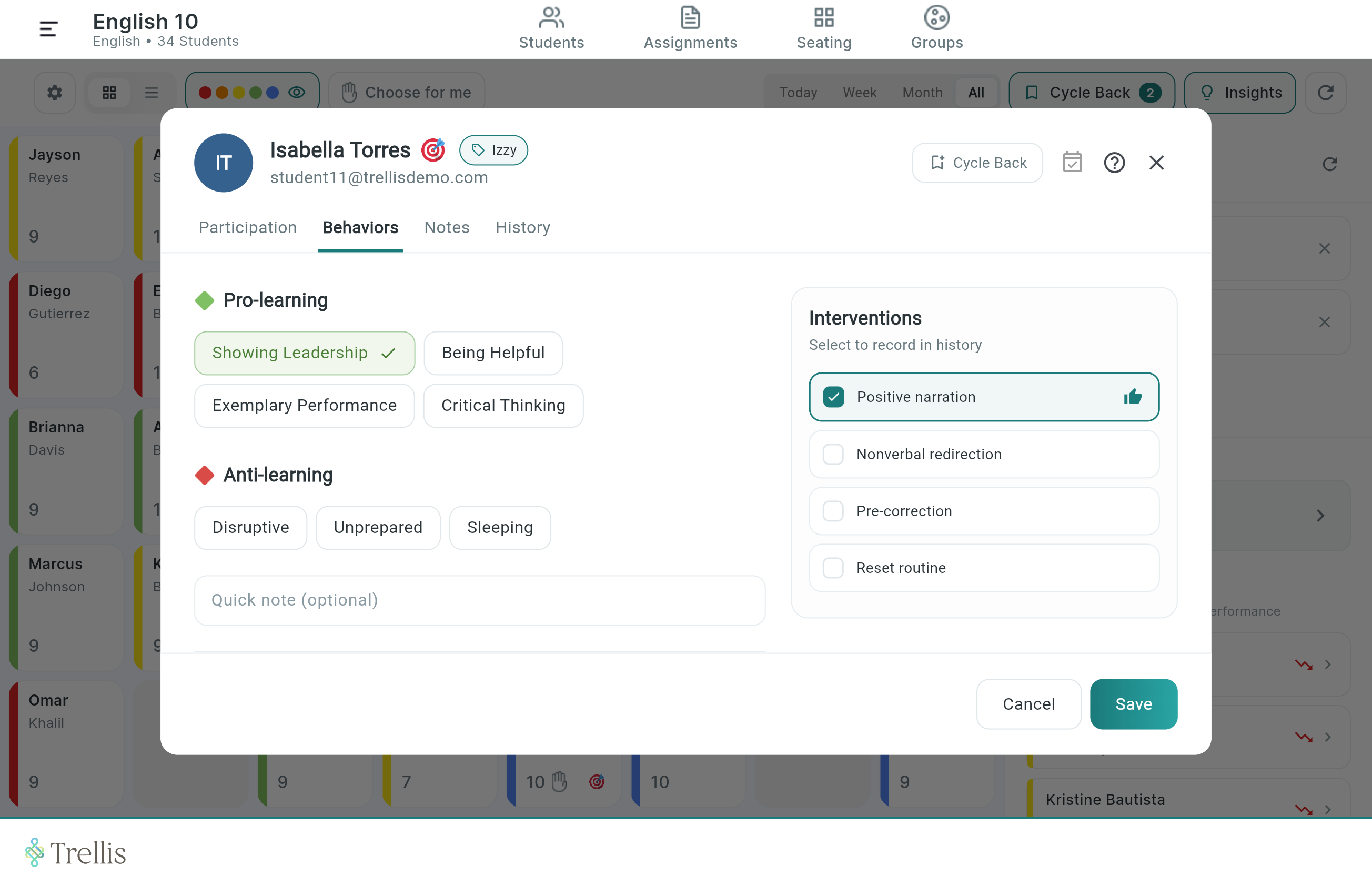
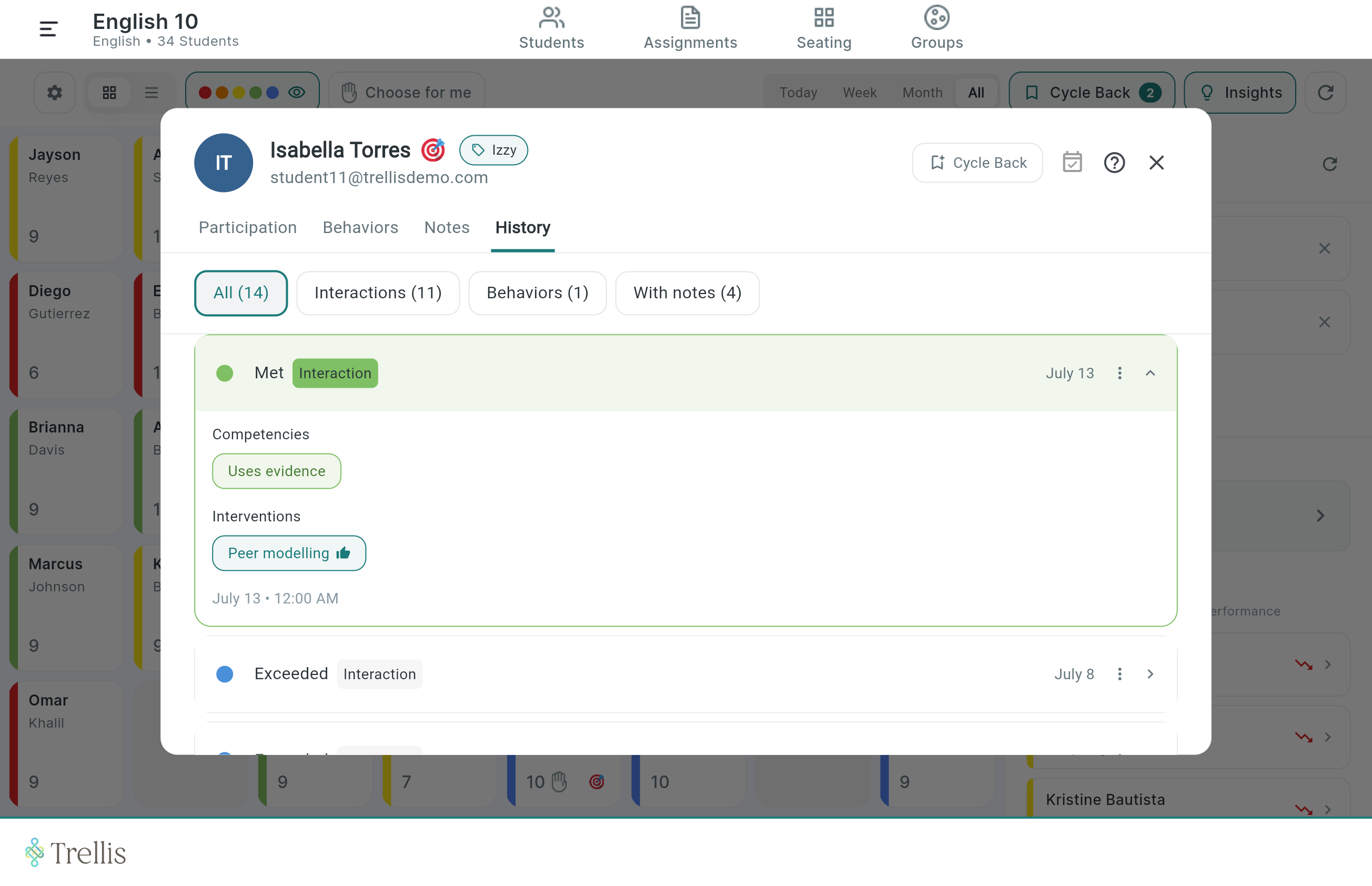
Tap any seat and a floating window opens with three tabs covering everything you need. Assess with a single color tap. Competencies appear immediately. Choose an intervention, add a note, and save. The whole interaction takes under five seconds and creates a complete, timestamped record.
The Assessment Scale
Assessment made easy
Each assessment level's color maps to a performance level with its own set of competencies. Tap a color, and the relevant competencies appear immediately, so you document not just where a student is, but exactly what you observed.
Concern
No evidence of understanding
Unable to begin task
Significant gaps present
Below
Partial understanding shown
Errors in core concept
Needs scaffolding
Approaching
Near standard with support
Minor gaps remaining
On track with prompting
Meeting
Draws accurate conclusions
Uses evidence effectively
Demonstrates mastery
Exceeded
Extends beyond standard
Applies to new contexts
Ready to support peers
Tools
Tools made to lighten the instructional load for teachers
The Equity Tool ensures equal interaction across the entire classroom, while the Grouping Tool makes purposeful grouping quick and easy.
The Equity Tool
The Grouping Tool
Admin Dashboard
For the first time, teachers and leaders can understand what's happening in Tier 1
The admin dashboard gives principals and district leaders live visibility into MTSS implementation — not just whether training happened, but what interventions teachers are actually using in classrooms. Principals see their school. District admins see all schools. All data is downloadable.
Getting Started
Three ways to get started
Setup takes one prep period. If your school uses Google Classroom, your rosters are already there.
01
Google Classroom Sync
Connect your Google account and your classes will import automatically with student names, rosters, and course structure. No manual entry. Updates when your roster changes.
02
CSV import
Don't use Google Classroom? Upload a CSV and your roster is ready in minutes. Districts can pre-load intervention plans for specific students so they appear on day one.
03
District configuration
District admins configure intervention libraries, student groups, and support plans at scale through the backend panel — before any teacher logs in for the first time.
See Trellis in action
Change how you think about MTSS documentation.
For Teachers
See exactly what your first class looks like in Trellis. It only takes a few minutes to start using Trellis in your classroom today!